Biomarker Tracker is a free, open-source blood test tracker. Keep years of lab results and body measurements in one chart, see your biological age, and read what the research says about every marker, in plain words. It all stays on your computer.
The example profile: every result is made up. Biological age is worked out live on this page with PhenoAge (Levine et al., 2018), the formula the app uses.
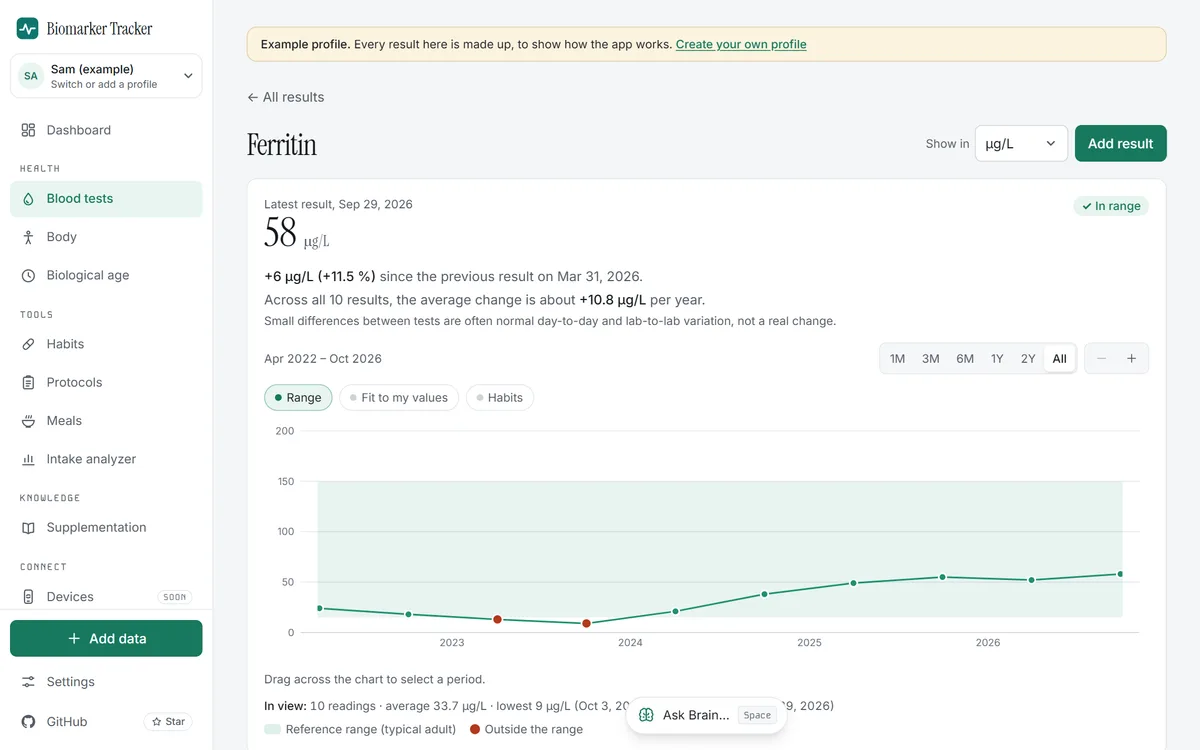
One chart for every lab.
Lab portals show one test at a time, and every lab prints the same marker differently. Results are converted to one unit, so years of tests from different labs line up.
Plain words, with sources.
No medical training assumed. Every marker is explained, and every claim links to Europe PMC, EFSA or the original paper.
Yours, on your computer.
Each person is a folder. No account, no cloud, no analytics. Back a profile up as a .zip and move it anywhere.
Markers
81blood and urine, each explained with sources
Research pages
13860 foods, 64 supplements and 14 lifestyle topics, with graded findings
Device exports
11Apple Health, Garmin, Oura, Whoop and more
Trackers
0no analytics, tracking or error reporting
Features
Every result, from every lab, on one chart.
Type results in, drop in a lab report PDF, or take a photo of one. You check every value on a review screen before anything is saved.
Markers recognised in English, German, Hungarian, French, Spanish and Italian
Zoom, drag across a period to see its average and change, and overlay your habits
Flags against your lab's own range; critical values say “contact a doctor” first
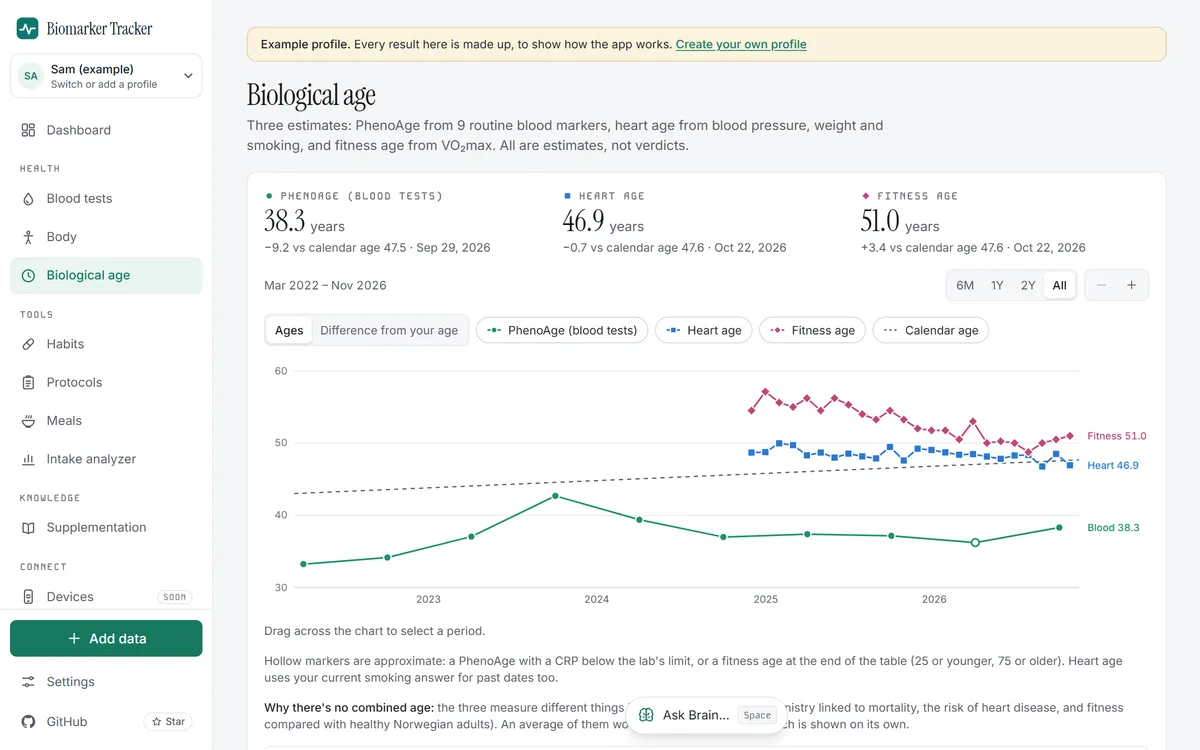
Three ages, never averaged into one.
Biological age, heart age and fitness age, each drawn against your calendar age. They estimate different things, so the app keeps them apart.
PhenoAge (Levine et al., 2018) from nine blood markers, checked against the paper
Heart age from the Framingham risk model, fitness age from VO₂max
Pace of aging test to test, with its likely range, and DunedinPACE as your lab reports it
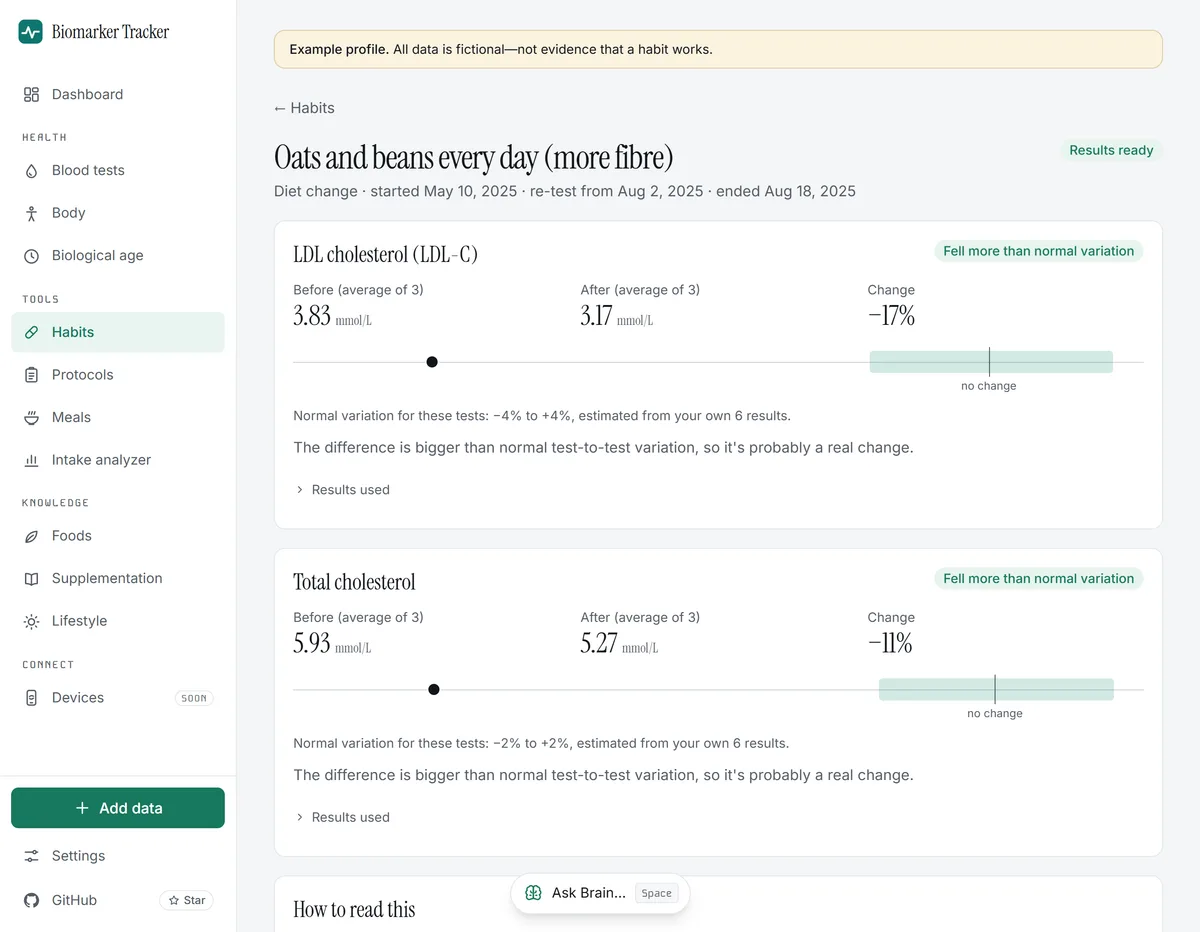
Find out whether a change did anything.
Log supplements, diet changes, medicines and routines, then watch the markers you care about. “What changed” compares before and after against the normal spread of your own results, so a real change can be told from noise.
Normal variation worked out from your own results, with three tests before and three after
Habits shaded on every chart, by type: supplements, diet, medicines, lifestyle
Framed as what happened in you, never as evidence for anyone else
An optional AI assistant that shows its work, on the model you choose.
Brain answers everyday questions about food, supplements, sleep, exercise and your own results. You see every step it takes and every study it cites.
Runs on
Cloud, zero retention
Anthropic, OpenAI, Mistral or your own endpoint, in the EU or US. OpenRouter with zero-retention routing forced on.
On your computer
Local models through Ollama or LM Studio. Nothing leaves the machine.
Agents you use
Claude Code, Codex, Hermes or OpenClaw, labelled “depends on your login”, because the app can't check what they keep.
Example profile: every result is made up. The studies are real.
Numbers from code
Every figure in an answer comes from the app's tested calculations. The model explains them; it doesn't do the maths.
Checked citations
A study counts only if Brain's search returned it in that conversation. Anything else is struck through, never linked.
Nothing without you
Protocols, meals and habits arrive as review cards. Nothing is created or started until you confirm.
Safety rules
It never diagnoses and never gives medicine or supplement doses. A result far outside the usual range gets a warning first, and blocks drafts.
Your name stays home
Your name and private notes are never sent. Research searches send search terms, not your profile.
Skills
Eight built in, each a written method Brain follows for one kind of question. Add your own in the SKILL.md format; the safety rules still apply.
Biological age
Clinical trials finder
Evidence review
Lab results explainer
Literature search
Medicine and supplement interactions
Nutrition analysis
Self-experiment design
+ your own skill
Research servers (MCP)
Six ready-made medical and nutrition servers, on when Node.js is installed, and any other MCP server you trust. They run on your computer, and PRIVACY.md lists where each one connects.
PubMed and Europe PMC
ClinicalTrials.gov
openFDA
BioMCP
Medical terminologies
Food and nutrition lookup
+ any MCP server
What people ate for health 2,000 years ago, and what studies say now.
Every one of the 60 foods has Then and now: what Hippocrates, Aristotle, Dioscorides, Galen, Pliny and others believed it did for the body, each belief with the passage it comes from, read in open translations. Then what's in it, what changes it, who should be careful and what isn't known yet.
A belief is listed only after its passage was opened or a scholarly paper confirmed it
Graded findings for today, with the people each study was done in
Nutrients from the UK food table, and a note on what food tables leave out
Fruit
Figs
Then and now
What people believed figs did for the body, and where it is written.
Ancient Greece (Diogenes Laertius, about 200 AD)
Diogenes Laertius reports that athletes in earlier times trained on dried figs, soft cheese and wheatmeal, until a diet of meat replaced it.
A few of the 60 pen-and-ink drawings, one for every food.
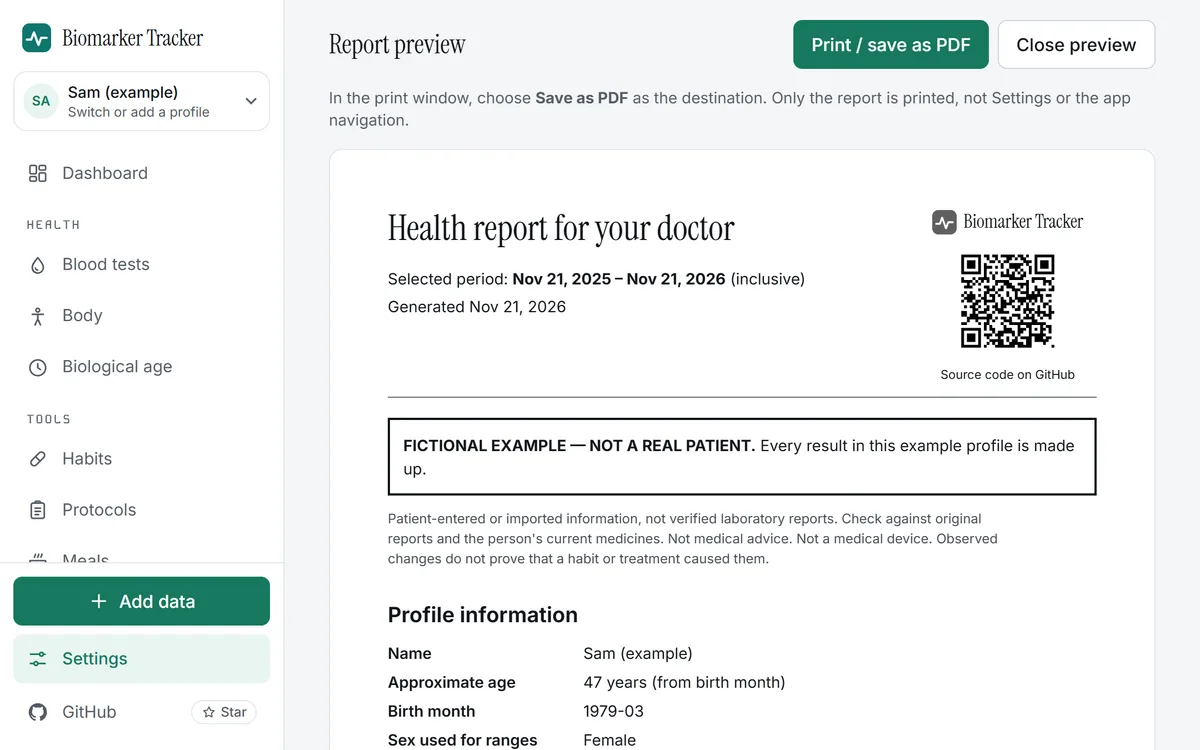
Walk into the appointment with the right questions.
Every blood test gets a summary in plain words: what's outside its range and what that can mean, what moved since the last test, and what's worth knowing, like whether you fasted. Then questions for your doctor, written from your own numbers.
Copy the questions, or add them to a printed report with your charts
The report works offline, with no AI and no outside PDF service
It explains; it never diagnoses or says what to take
Body, food and the research behind them.
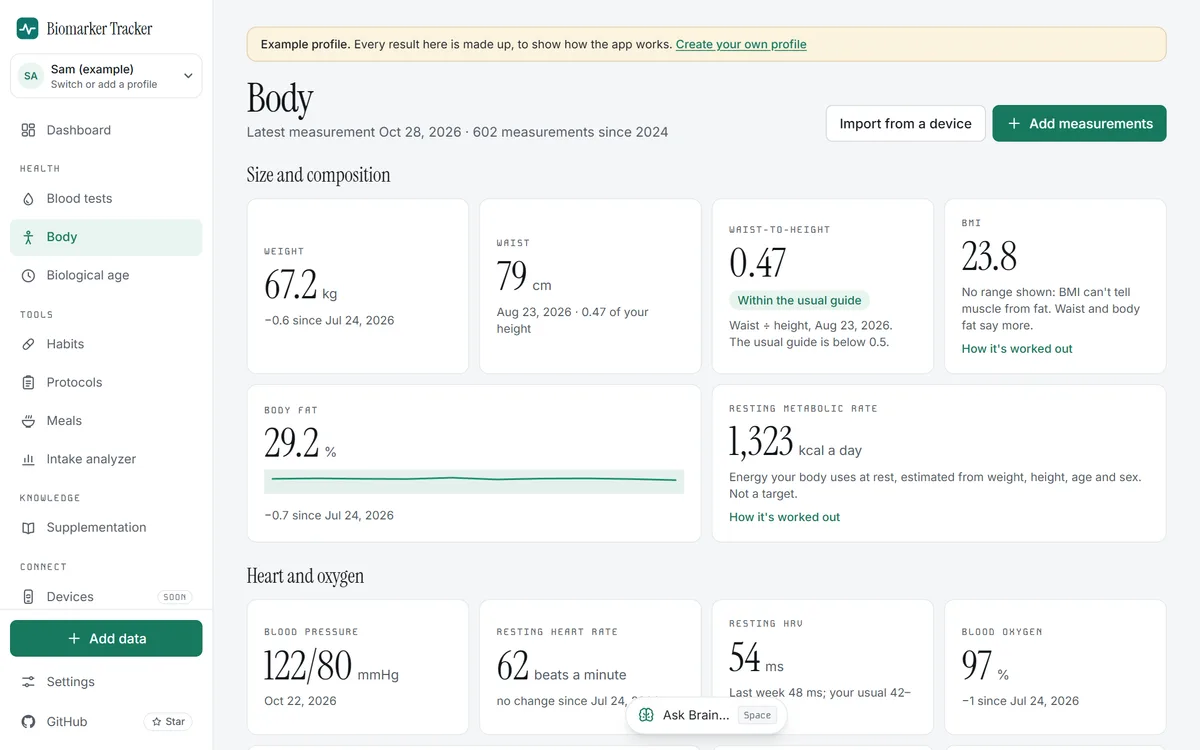
Your watch and scale, without made-up scores.
Import Apple Health, Fitbit, Google Fit, Samsung Health, Garmin, Oura, Whoop, Withings, Polar, Zepp or Huawei Health exports, or any CSV, read on your computer. Weight, blood pressure, HRV, sleep and VO₂max, with no “readiness” scores.
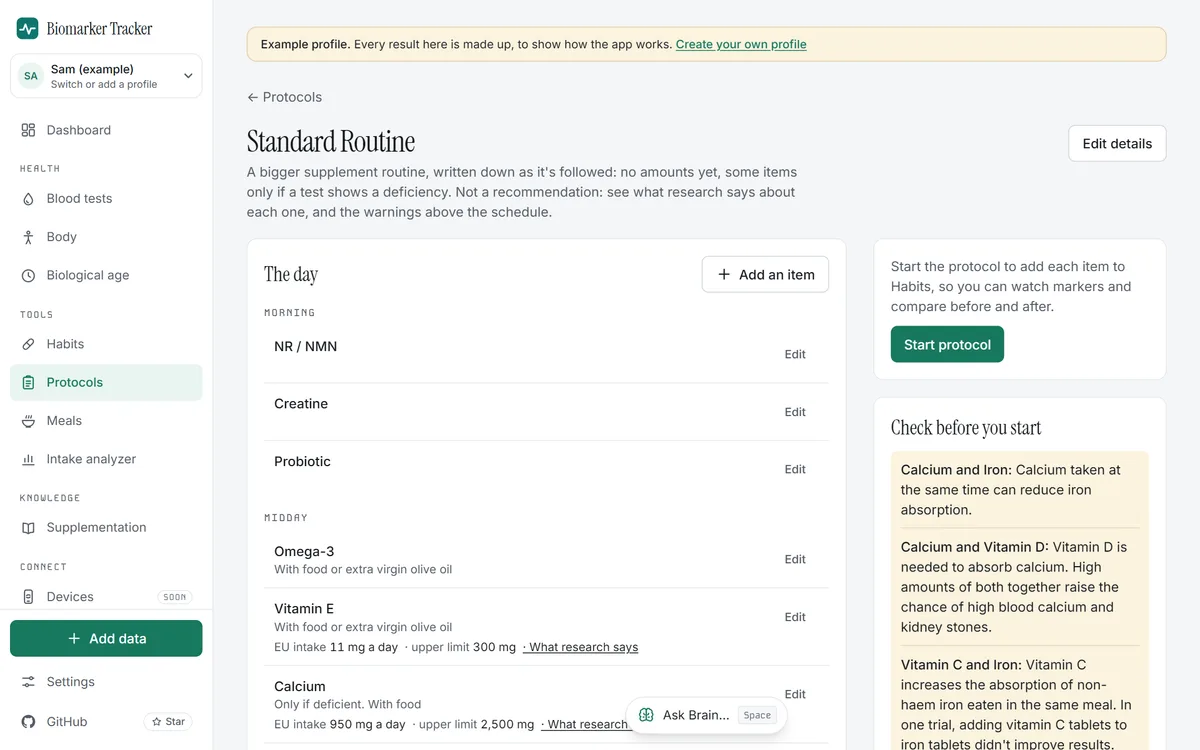
Protocols, with interaction warnings.
Write down a supplement stack, diet or routine as a daily schedule. The app checks the items against each other and your medicines, shows EU intakes and upper limits, and links what research says about each one.
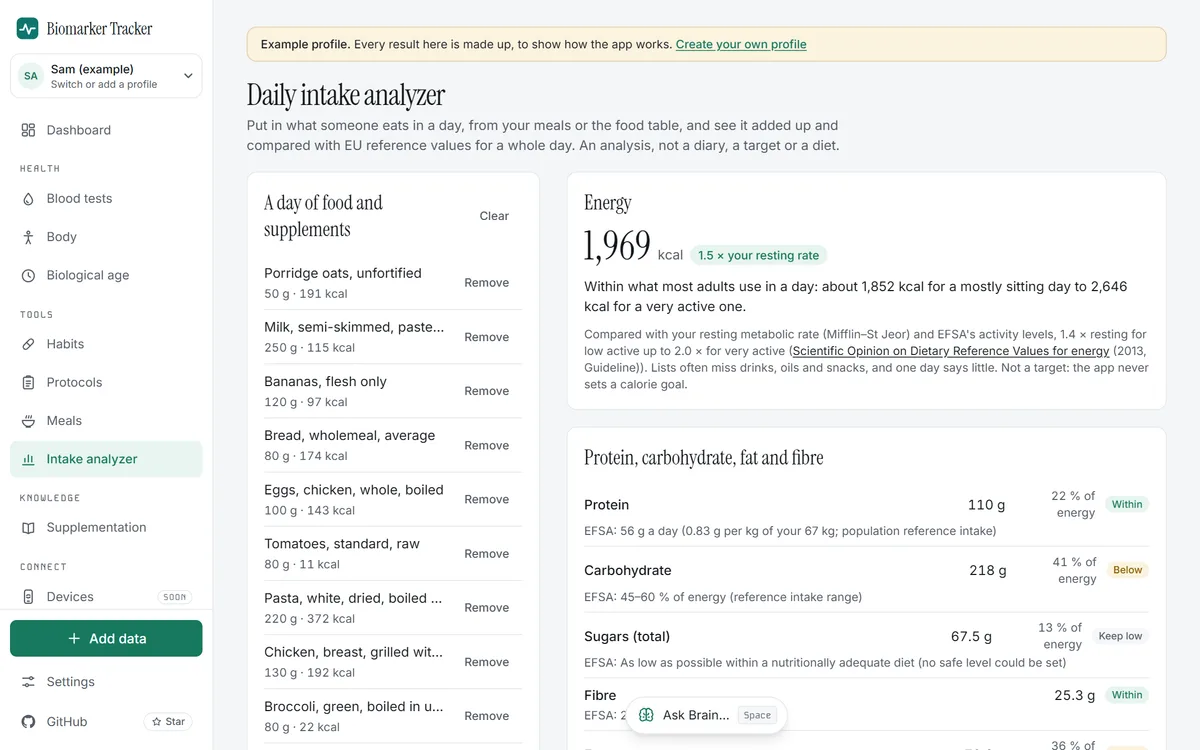
A day of food, against EU reference values.
The intake analyzer adds up meals, foods and supplements from 2,887 foods in the UK food table and compares them with EFSA reference values. No calorie targets, no weight-loss plans.
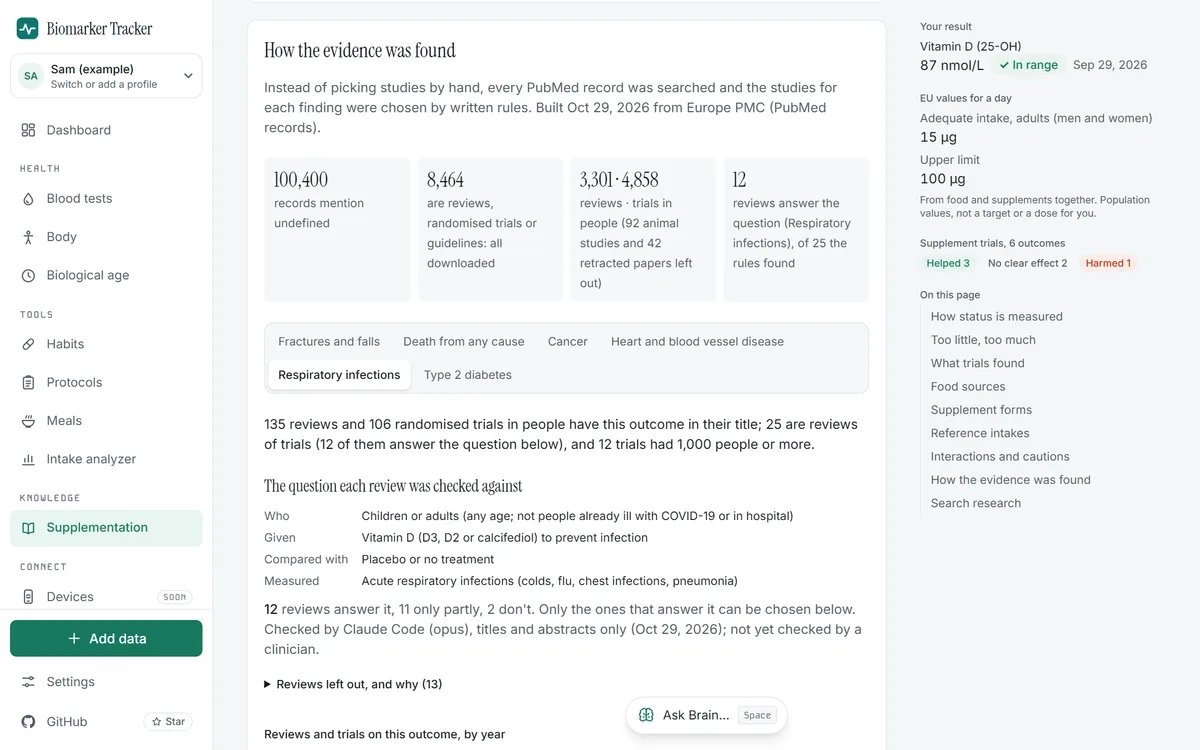
What the research says, and how sure it is.
Pages for 60 foods, 64 supplements and 14 lifestyle topics, with graded findings. Evidence maps show how the studies were found: every PubMed record searched, not papers picked by hand.
Screenshots use the built-in example profile. Every result in them is made up.
Try it now, with five years of example results.
The online demo is the app itself, running in your browser with the example profile. Everything works except Brain, the assistant, which needs the desktop app. Anything you add stays in your browser.
Health apps want an account and upload everything. This one is a folder on your computer. The app's security policy only lets the page talk to itself and two research databases.
Don't take our word for it: PRIVACY.md lists every destination, and the code is open. This website doesn't track you either: no analytics, no cookies, and fonts served from here.
What is sent where
Your data
Sent to
Your results, profiles and notes
Nothing. A folder per person on this computer.
Lab PDFs with text, device exports
Nothing. Read on your computer.
Usage, crashes, analytics
Nothing. There is no telemetry at all.
Photos and scanned lab reports
The AI model you set up, only after you confirm, with location data removed.
Research searches
Europe PMC and PubMed, with public search terms, never your profile.
Questions to Brain (optional)
Only the provider you chose. Your name and private notes are never sent.
What the numbers rest on.
There are no testimonials here, and no invented numbers. Every estimate is a published model, written in open code you can read, and the app has more than 2,000 automated tests. Where an estimate has limits, the app says so next to it.
The calculators inside the app, as free pages: type in a blood test, a blood pressure, a VO₂max or a grip strength and see what the published models say. They run in your browser and send nothing anywhere.
Age calculators
Biological age, heart age and fitness age, from published formulas.
Free, for Windows, macOS and Linux. The desktop app brings its own local server, so there's nothing else to install for tracking, imports, backups or AI models. It checks for new versions and asks before installing one; nothing about you is sent when it checks.
The app isn't signed with a paid Microsoft or Apple certificate yet, so your computer warns you once.
Windows: if “Windows protected your PC” appears, click More info, then Run anyway.
Mac: drag the app into Applications and open it. If macOS says it can't check the app, open System Settings → Privacy & Security and click Open Anyway next to Biomarker Tracker. If it says the app “is damaged”, run this once in Terminal, then open it again:xattr -dr com.apple.quarantine "/Applications/Biomarker Tracker.app"
git clone https://github.com/ai-2070/biomarker-tracker.git
cd biomarker-tracker
bun install
bun run start   # http://localhost:4820
Questions.
Is it free?
Yes. Biomarker Tracker is free and open source, with no paid tier, no account and no ads. If you set up a cloud AI model for the assistant, that provider's own pricing applies; local models and everything else cost nothing.
Is it open source?
Yes, under the MIT licence. The app, its formulas, the knowledge base and the tests are all on GitHub. The data sets it ships with keep their own licences, listed in DATA-LICENSES.md.
Can I try it without installing anything?
Yes. The online demo runs the app in your browser with an example profile: five years of made-up results, habits and protocols. Everything works except Brain, the assistant, and anything you add stays in your browser.
Why does Windows or macOS warn me when I open it?
The app isn't signed with a paid Microsoft or Apple certificate yet, so the system can't vouch for it and warns you once. On Windows, click More info, then Run anyway. On a Mac, open System Settings, then Privacy & Security, and click Open Anyway. All of the code is on GitHub.
Does it update itself?
It checks for new versions and asks before installing one. Nothing about you is sent when it checks.
Is this medical advice?
No. It is not medical advice and not a medical device. It explains what your results mean and what the evidence says, but it never diagnoses, and never tells you to start or stop a medicine or how much to take. Talk to your doctor about any result that worries you.
How is biological age worked out?
With PhenoAge (Levine et al., 2018), which combines nine routine blood markers from the same blood draw (albumin, creatinine, glucose, CRP, lymphocytes, mean cell volume, red cell distribution width, alkaline phosphatase and white cell count) with your age. The app's version is checked against the paper and the BioAge R package. It is an estimate, and lowering it hasn't been shown to add years.
Which labs and units does it read?
Any lab. Every marker is converted to one unit, so tests from different labs line up on one chart. Lab report PDFs with text are read on your computer in English, German, Hungarian, French, Spanish and Italian. Photos and scanned reports are read by the AI model you set up. Either way, you check every value before it is saved.
Can I import from Apple Health, Garmin, Oura or Whoop?
Yes, from the exports of Apple Health, Fitbit, Google Fit, Samsung Health, Garmin, Oura, Whoop, Withings, Polar, Zepp and Huawei Health, or from any CSV. Files are read on your computer and never uploaded.
Do I need an AI model?
No. Tracking, charts, biological age, the doctor report and the knowledge pages all work with no model set up. The assistant, and reading photos of lab reports, are optional.
Where is my data kept?
In a folder per person on your own computer. Back one up as a .zip and load it on another computer. API keys stay in a separate file and are never put in backups.
Does it work on a phone?
The desktop app is for Windows, macOS and Linux. Every page is also built for phone screens, so the online demo works on a phone, with its data kept in that phone's browser.
Can I track my family too?
Yes. One computer can hold several profiles, for a partner or parents, and you switch between them from the menu.
Has a doctor reviewed it?
Not yet. Evidence grades and wording are a developer's first draft, and the app says so. A clinician's review is on the roadmap.